你当前正在访问 Microsoft Azure Global Edition 技术文档网站。 如果需要访问由世纪互联运营的 Microsoft Azure 中国技术文档网站,请访问 https://docs.azure.cn。
Microsoft安全 DevOps 是一种命令行应用程序,可将静态分析工具集成到开发生命周期中。 安全 DevOps 安装、配置和运行最新版本的静态分析工具,例如 SDL、安全性和合规性工具。 安全 DevOps 以数据为驱动,配备可移植配置,使其能够在多个环境中实现确定性执行。
Microsoft 安全 DevOps 使用以下开源工具:
| Name | 语言 | License |
|---|---|---|
| 反恶意软件 | Microsoft Defender for Endpoint 在 Windows 中提供的反恶意软件保护功能会扫描恶意软件,如果发现恶意软件,则会中断构建过程。 此工具默认在 Windows 最新代理上扫描。 | 非开放源代码 |
| Bandit | Python | Apache 许可证 2.0 |
| BinSkim | Binary--Windows、ELF | MIT 许可证 |
| Checkov | Terraform、Terraform plan、CloudFormation、Amazon Web Services (AWS) SAM、Kubernetes、Helm charts、Kustomize、Dockerfile、Serverless、Bicep、OpenAPI、ARM | Apache 许可证 2.0 |
| ESlint | JavaScript | MIT 许可证 |
| 模板分析器 | ARM 模板、Bicep | MIT 许可证 |
| Terrascan | Terraform (HCL2)、Kubernetes (JSON/YAML)、Helm v3、Kustomize、Dockerfiles、CloudFormation | Apache 许可证 2.0 |
| Trivy | 容器映像,基础结构即代码 (IaC) | Apache 许可证 2.0 |
先决条件
一份 Azure 订阅。 如果没有 Azure 订阅,请在开始之前先创建一个免费帐户。
在新窗口中打开 Microsoft 安全 DevOps GitHub 操作。
确保工作流权限设置为 GitHub 存储库上的 读取和写入 。 这包括在 GitHub 工作流中将“ID-token: write”权限设为启用,以便与 Defender for Cloud 进行联合身份验证。
配置 Microsoft 安全 DevOps GitHub 操作
设置GitHub操作:
登录到 GitHub。
选择要配置 GitHub操作的存储库。
选择“操作”。

选择“新建工作流”。
在“GitHub Actions入门”页上,选择“自行设置工作流。

在文本框中,输入工作流文件的名称。 例如,
msdevopssec.yml。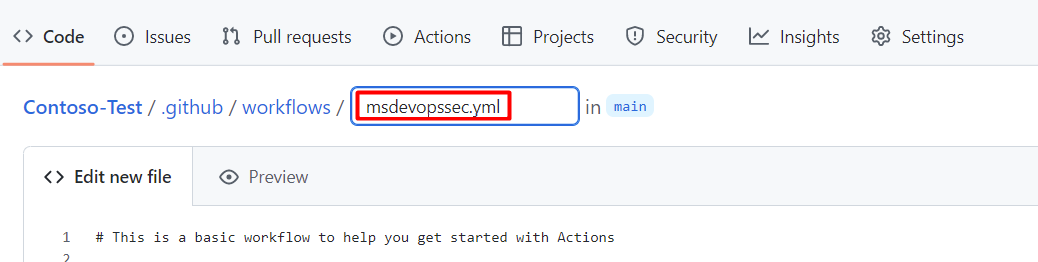
将以下示例 作工作流 复制并粘贴到“编辑新文件”选项卡中。
name: MSDO
on:
  push:
    branches:
      - main

jobs:
  sample:
    name: Microsoft Security DevOps

    # Windows and Linux agents are supported
    runs-on: windows-latest

    permissions:
      contents: read
      id-token: write
      actions: read
      # Write access for security-events is only required for customers looking for MSDO results to appear in the codeQL security alerts tab on GitHub (Requires GHAS)
      security-events: write

    steps:

      # Checkout your code repository to scan
    - uses: actions/checkout@v3

      # Run analyzers
    - name: Run Microsoft Security DevOps
      uses: microsoft/security-devops-action@latest
      id: msdo
    # with:
      # config: string. Optional. A file path to an MSDO configuration file ('*.gdnconfig').
      # policy: 'GitHub' | 'microsoft' | 'none'. Optional. The name of a well-known Microsoft policy. If no configuration file or list of tools is provided, the policy may instruct MSDO which tools to run. Default: GitHub.
      # categories: string. Optional. A comma-separated list of analyzer categories to run. Values: 'code', 'artifacts', 'IaC', 'containers'. Example: 'IaC, containers'. Defaults to all.
      # languages: string. Optional. A comma-separated list of languages to analyze. Example: 'javascript,typescript'. Defaults to all.
      # tools: string. Optional. A comma-separated list of analyzer tools to run. Values: 'bandit', 'binskim', 'checkov', 'eslint', 'templateanalyzer', 'terrascan', 'trivy'.

      # Upload alerts to the Security tab - required for MSDO results to appear in the codeQL security alerts tab on GitHub (Requires GHAS)
    # - name: Upload alerts to Security tab
    #  uses: github/codeql-action/upload-sarif@v3
    #  with:
    #    sarif_file: ${{ steps.msdo.outputs.sarifFile }}

      # Upload alerts file as a workflow artifact - required for MSDO results to appear in the codeQL security alerts tab on GitHub (Requires GHAS)
    # - name: Upload alerts file as a workflow artifact
    #  uses: actions/upload-artifact@v3
    #  with:
    #    name: alerts
    #    path: ${{ steps.msdo.outputs.sarifFile }}
注释
有关更多工具配置选项和说明,请参阅 Microsoft 安全 DevOps wiki
选择“开始提交”
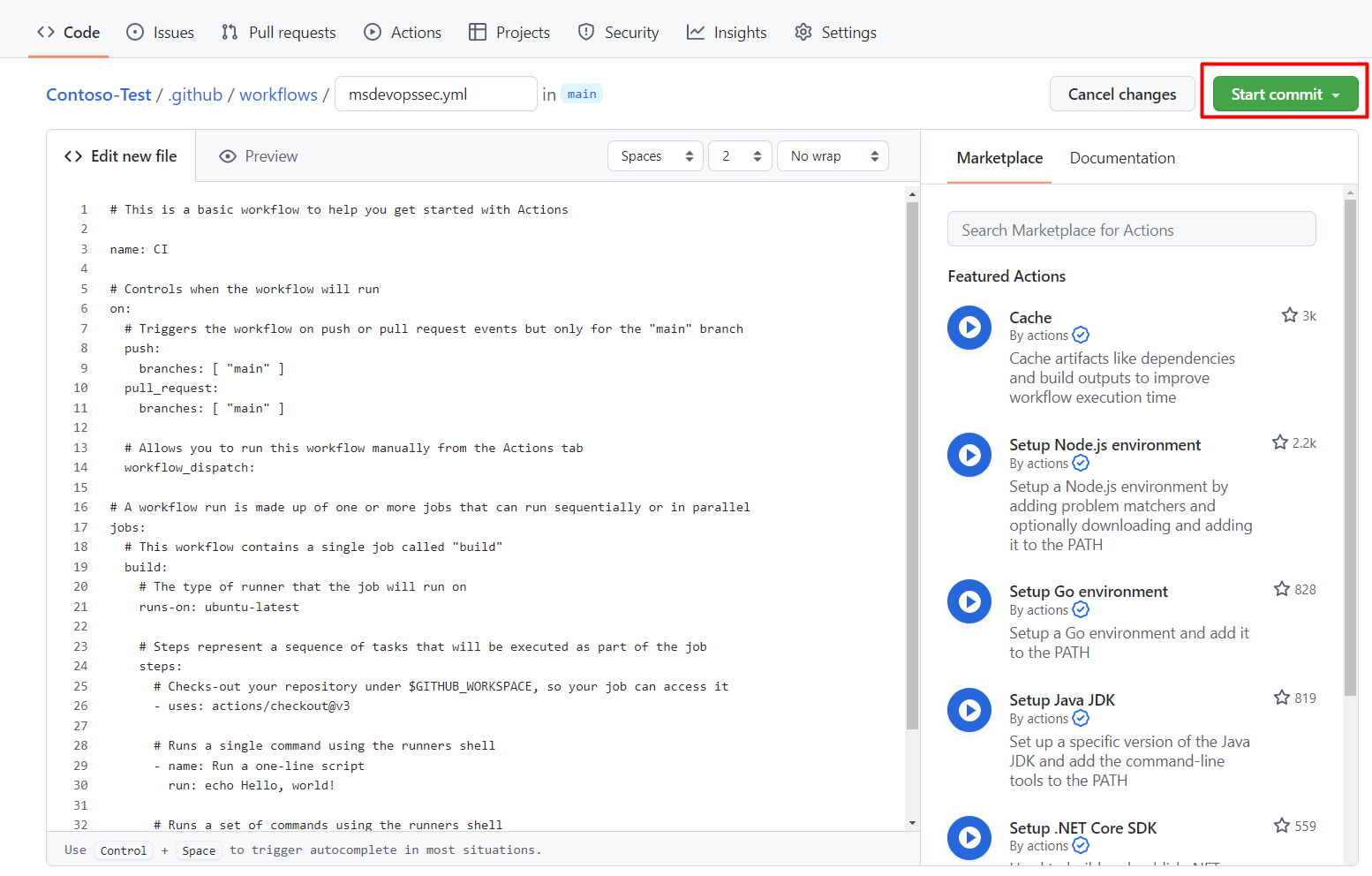
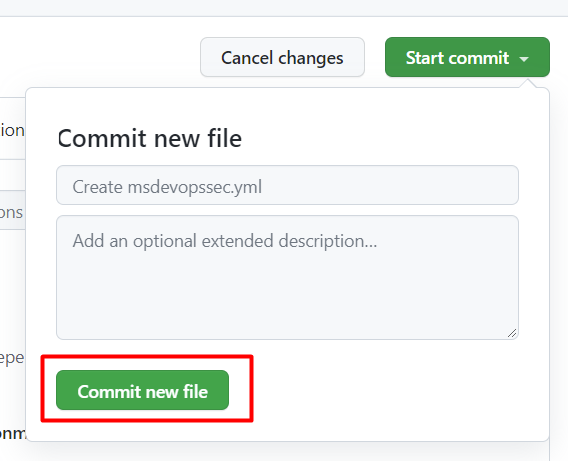
选择 “提交新文件”。 请注意,此过程最多可能需要一分钟才能完成。
选择"操作"并验证新操作是否正在运行。


查看扫描结果
查看扫描结果:
登录到Azure。
导航到 Defender for Cloud > DevOps Security。
在 DevOps 安全边栏中,几分钟内即可看到与开发人员在相关存储库的 CI 日志中看到的相同的 Microsoft 安全 DevOps (MSDO) 安全结果。 具有GitHub高级安全性的客户还会看到从这些工具引入的发现。
了解详细信息
在 适用于 Azure 的 GitHub Actions 中了解适用于 Azure 的 GitHub Actions。
请参阅 将应用从 GitHub 部署到 Azure,了解如何将应用从 GitHub 部署到 Azure。