Note
Access to this page requires authorization. You can try signing in or changing directories.
Access to this page requires authorization. You can try changing directories.
Roadmap: 555235
As part of our ongoing mission to deliver a modern, secure, and scalable one-stop management portal for admins, we're transitioning Teams Android device management from the Teams admin center (TAC) to the Teams Rooms Pro Management portal (PMP).
This consolidation brings management of all Teams devices, including Teams Rooms on Windows, Teams Rooms on Android, Teams panels, Teams phones, and SIP Phones into a single, unified portal, giving IT Admins a consistent, and seamless experience for managing their Teams devices at scale.
This article serves as the main information source for this transition. We continue updating it with timelines, milestones, migration guidance, and readiness steps as the rollout progresses.
Why This Change?
Organizations today manage a diverse fleet of Teams devices across meeting rooms, shared spaces, and personal work environments. Managing these devices across multiple portals creates operational complexity and fragmented workflows.
By consolidating Teams device management into the Teams Rooms Pro Management Portal, admins gain:
One unified management experience across all Teams device types.
Enhanced monitoring and operational insights.
Advanced automation and AI-assisted management capabilities.
What’s Changing?
Starting June 2026, device inventory, monitoring, and management for the following Android-based Teams devices transition from TAC to the Teams Rooms Pro Management Portal:
Teams Rooms on Android
Teams Phones
Teams Panels
SIP devices
Note
The remote management of Teams Displays isn't migrated from Teams admin center to Teams Rooms Pro Management portal. This is in line with the end of support for the Teams Displays app. See Microsoft Teams Displays.
The following capabilities to be available, and enhanced in PMP:
Complete device inventory, including metadata and app information.
Remote actions (restart, log collection, sign-in, sign-out, provisioning, and more).
Update management (manual and automated).
Device settings and configuration profiles.
Device health signals and monitoring.
SIP device management.
Monitor this article and Message Center posts for any feature-specific updates and timelines.
Note
Once the transition is complete, PMP becomes the primary portal for all Teams device management, and the overlapping device management functionalities in TAC are gradually retired to streamline the experience.
How Migration Works
The transition occurs in phases. Device management capabilities becoming available in the Pro Management portal as they reach General Availability (GA).
When Android device management reaches GA:
Your existing devices automatically appear in the Pro Management portal.
Device management actions in TAC begin redirecting to Pro management portal.
Clear advance communication provided before any TAC workflows are retired.
Migration Timeline
Below is the current high-level rollout plan. Dates are subject to refinement as development progresses.
Phase 1 (Until May 2026)- Preparation and Early Guidance
Admin onboarding guidance available.
Ongoing updates on Android features in PMP and roadmap progress.
Phase 2 (End of June 2026)- Transition Begins
Android device management capabilities start appearing in PMP.
Select device management workflows begin redirecting from TAC to PMP.
Continued feature rollout and enablement.
Phase 3 (July and Aug 2026)- Expanded Capability and Default Experience
Full management workflows available in PMP (July 2026).
TAC workflows increasingly redirected to PMP (Aug 2026).
Customer migration completed.
Formal deprecation notices issued.
Phase 4 (Sept 2026)- Decommissioning the overlapping Teams device management features in TAC
Remaining TAC device management workflows retired.
- PMP becomes the primary management portal.
Migration checklist and pre-requisites
Step 1: Access the Teams Rooms Pro Management Portal
Open the Teams Rooms Pro Management Portal (PMP)
Access requires,
Either an appropriate Microsoft Entra ID role (Global Administrator, Teams Administrator, Teams Device Administrator, Global Reader).
Or PMP built-in role (Teams Rooms Pro Manager, Site Lead, and Site Technician).
Or PMP custom roles that can be scope to specific devices and device groups
See the role requirements here.
Licensing requirements for PMP access:
Org has at least one Teams Rooms Pro or Teams Rooms Basic or Teams Rooms Standard license, or
Org has at least one Teams Shared Space license (formerly Shared devices), or
Org has at least one Teams device already enrolled in PMP (primarily applicable to the customers managing only Teams Phones and don’t have above-mentioned licenses)
The existing customers who have Teams Phones enrolled in TAC, automatically enroll into PMP once the devices are updated to the minimum AA 830 version (1.0.0.202606082157.product) or higher, depending on what is available for your device. Please see latest Admin Agent releases here.
New customers have to sign-in into at least one of their Teams Phones for the automatic enrollment of the device leading to the tenant provisioning into PMP.
Note
Administrative units (AU): If an admin is scoped to an Administrative Unit in Entra ID, they won't be able to access the portal. In that case, have a Global Administrator/ Teams administrator create custom PMP roles in the Pro Management Portal. Learn more about custom roles.
Step 2: Verify Android devices are visible and manageable in PMP
Teams Devices including MTR-A, Teams Panels, Teams Phones and SIP Phones, that are enrolled in Teams Admin Center (TAC) appear automatically in Pro Management Portal (PMP).
If your Teams android devices aren't visible or unmanageable,
Ensure the required URLs listed in Teams Devices - Network Security are allowed on your network for both Teams Rooms on Windows and Teams Android devices.
Check if the devices are updated to the minimum AA version provided in the version requirements section.
Important
Admin Agent update readiness Microsoft will accelerate deployment of the minimum Admin Agent version to Android devices, so they are ready to be managed in the Teams Rooms Pro Management portal as soon as possible. This means, Admin Agent on your devices will get updated at faster cadence than duration configured via update rings.
Customers who have disabled auto updates permanently will have their devices forcefully auto-updated to the minimum Admin Agent version before the deprecation of device management capabilities in TAC to avoid any disruption. Customers who don't have auto update available (specially devices on very old version of Admin Agent) should manually update their devices to the minimum Admin Agent version before the deprecation of device management capabilities in TAC to avoid any disruption.
Government cloud customers (GCC, GCC-High, DoD) will soon have their devices auto-updated to minimum required Admin Agent version AA 856 (1.0.0.202607160723) before the deprecation of device management capabilities in TAC to avoid any disruption. These admin Agentupdates to minimum required Admin Agent for successfully managing their devices PMP are NOT PAUSABLE and are mandatory to manage your devices in PMP successfully. After the deprecation, admins will no longer be able to update these devices from TAC and may need to use the OEM portal to update firmware with required Admin Agent before the devices can be managed in PMP again. To ensure uninterrupted device management in PMP, it is strongly recommended that you update your devices to the minimum required Admin Agent version as soon as possible (manually or via auto-updates). Failure to do so may result in disruptions to device operations.
Step 3: Complete feature specific tasks
The following action items are dependent on the feature availability timelines provided in the next section.
Settings management - If you wish to carry over the existing configuration profiles in Teams admin center, you can import them as Settings Templates in the Teams Rooms Pro Management portal. Check Settings management in PMP for more information.
Updates management -
After TAC to PMP migration, Customers who have their updates disabled/paused in TAC continue to have their updates disabled/paused in PMP as well.
Since PMP auto update rings are relatively different than TAC auto update phases, During TAC to PMP transition period (from GA to 30th Sept’26), auto update via PMP continues to follow update cadence defined by TAC auto update phases until PMP admins explicitly adopt new auto update rings as per PMP. Check Updates management in PMP for more information.
For Phones, All existing phones devices that aren't on minimum required Admin Agent version move to default ‘General’ auto update ring in PMP (Irrespective of TAC update phases they were part of). Once updated to minimum AA version, admins can change these phases in PMP.
All updates in PMP are carried out in new default nightly maintenance window (between 12AM to 5 AM device local time). Admins can not set any different maintenance window in PMP as yet.
For more information on android updates management in PMP, Check Manage updates for Teams android devices in Pro Management portal.
[Upcoming] Tags - If you wish to carry over the existing Tags in Teams admin center, you can import them as Groups in the Teams Rooms Pro Management portal. (A public document with detailed steps to become available once the feature is available. Check the timelines in the Feature support section available in the next section)
Minimum app version requirements and Feature-vise timelines
Make sure your devices are updated to the minimum Admin Agent version AA 830 (1.0.0.202606082157.product) or higher (whichever is eligible for your devices) to be able to manage Android devices in Teams Rooms Pro Management portal. Please see latest Admin Agent releases here.
Important
Admin Agent update readiness
Microsoft will accelerate deployment of the minimum Admin Agent version to Android devices, so they are ready to be managed in the Teams Rooms Pro Management portal as soon as possible. This means, Admin Agent on your devices will get updated at faster cadence than duration configured via update rings.
Customers who have disabled auto updates permanently will have their devices forcefully auto-updated to the minimum Admin Agent version before the deprecation of device management capabilities in TAC to avoid any disruption.
Customers who don't have auto update available (especially devices on very old version of Admin Agent) should manually update their devices to the minimum Admin Agent version before the deprecation of device management capabilities in TAC to avoid any disruption.
Government cloud customers (GCC, GCC-High, DoD) will soon have their devices auto-updated to minimum required Admin Agent version AA 856 (1.0.0.202607160723) before the deprecation of device management capabilities in TAC to avoid any disruption.
These Admin Agent updates to minimum required Admin Agent for successfully managing their devices PMP are NOT PAUSABLE and are mandatory to manage your devices in PMP successfully.
After the deprecation, admins will no longer be able to update these devices from TAC and may need to use the OEM portal to update firmware with required Admin Agent before the devices can be managed in PMP again.
To ensure uninterrupted device management in PMP, it is strongly recommended that you update your devices to the minimum required Admin Agent version as soon as possible (manually or via auto-updates). Failure to do so may result in disruptions to device operations.
Here are the broad feature timelines. More details become available when feature rollouts begin.
| Area | Features | Public | GCCH | DoD | GCC |
|---|---|---|---|---|---|
| Android device inventory | Devices view for MTR-A and Panels | June 2026 | July 2026 | July 2026 | August 2026 |
| Devices view for Teams Phones | June 2026 | July 2026 | July 2026 | August 2026 | |
| Android update management | Update management for MTR-A, Panels and Phones | June 2026 | August 2026 | August 2026 | September 2026 |
| Tenant level pause | June 2026 | August 2026 | August 2026 | September 2026 | |
| Updates ring management | June 2026 | August 2026 | August 2026 | September 2026 | |
| Android settings management | Individual device settings for MTR-A, Panels and Phones | June 2026 | July 2026 | July 2026 | August 2026 |
| Setting templates for MTR-W, MTR-A, Panels and Phones | June 2026 | July 2026 | July 2026 | August 2026 | |
| Custom background for MTR-A and Panels | August 2026 | August 2026 | August 2026 | August 2026 | |
| Hotline setting for Phones | Mid-July 2026 | July 2026 | July 2026 | August 2026 | |
| Line keys for Phones | Mid-July 2026 | July 2026 | July 2026 | August 2026 | |
| Device lock pin for Phones | Mid-July 2026 | July 2026 | July 2026 | August 2026 | |
| Device Health signals and monitoring | Android signals for MTR-A, Panels, and Phones | June 2026 | July 2026 | July 2026 | August 2026 |
| Incident management for Android | June 2026 | July 2026 | July 2026 | August 2026 | |
| Device Provisioning using MAC address | Device provisioning for MTR-A, Panels and Phones | Mid-July 2026 | July 2026 | July 2026 | August 2026 |
| Tags as Groups in PMP | Import Tags as Groups in PMP | August 2026 | August 2026 | August 2026 | August 2026 |
| Other remote actions | Device restart | June 2026 | July 2026 | July 2026 | August 2026 |
| Sign-in/ sign-out | June 2026 | August 2026 | August 2026 | August 2026 | |
| Device remove/ Unenroll | June 2026 - Rolling out | August 2026 | August 2026 | August 2026 | |
| Collect logs | June 2026 | August 2026 | August 2026 | August 2026 | |
| SIP device management | SIP devices view | June 2026 | July 2026 | July 2026 | August 2026 |
| SIP device remote actions | June 2026 | July 2026 | July 2026 | August 2026 | |
| SIP device provisioning | Mid-July 2026 | August 2026 | August 2026 | August 2026 |
Resources
See the Pro Management portal overview at: Teams Rooms Pro Management | Microsoft
Learn more about Pro Management portal features with these short YouTube videos
Find product documentation at: Microsoft Teams Rooms Pro management
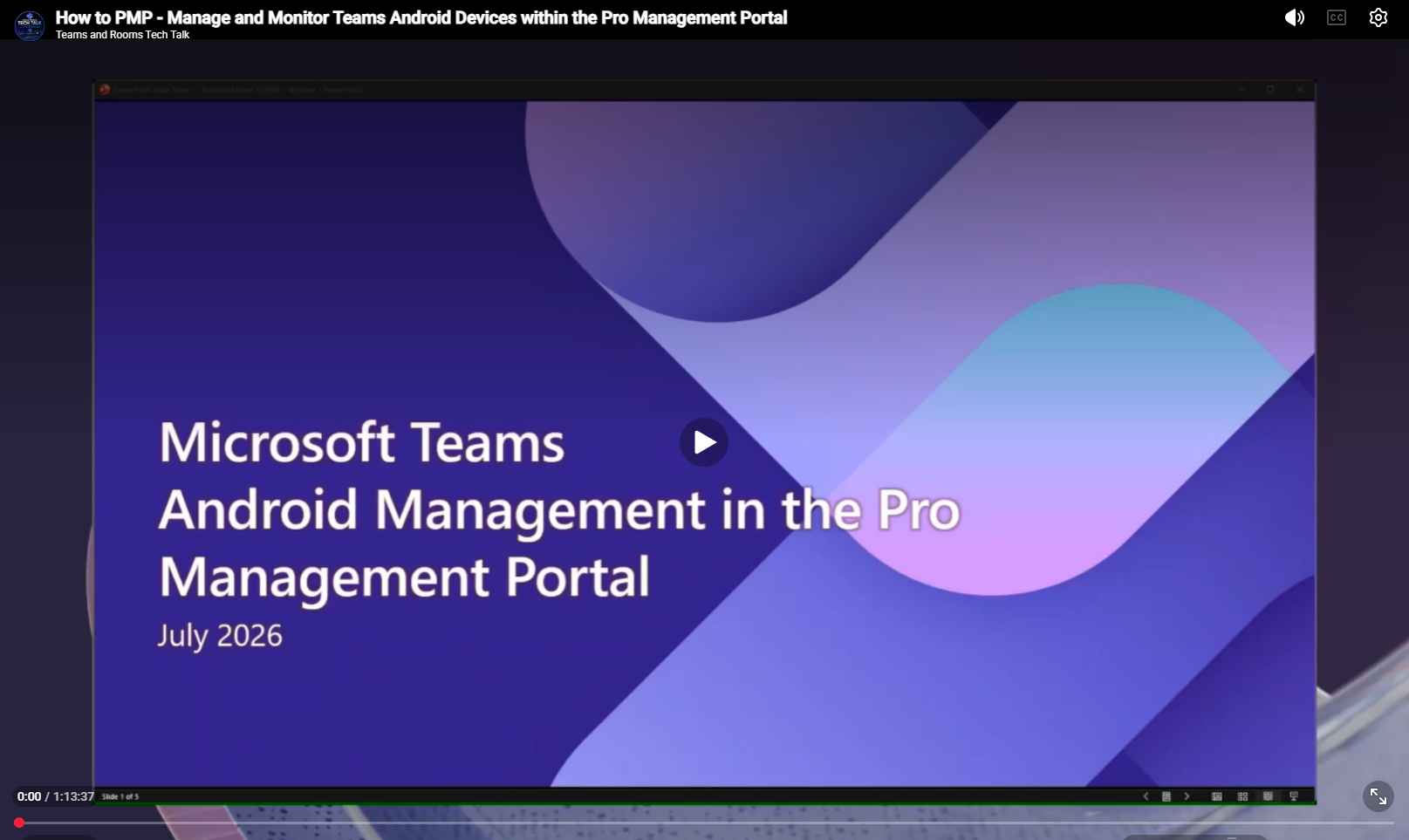
Transitioning Teams Android Device Management from Teams Admin Center to the Teams Rooms Pro Management Portal - Webinar
(Links continue to be updated as new guidance becomes available.)
Frequently Asked Questions
Do I need to manually migrate my devices?
No. Devices automatically appear in the Pro Management portal when Android device management reaches general availability. Make sure the required URLs are allowlisted and devices are on AA 830 version.
Will Teams device management in TAC stop working immediately?
No. The deprecation of device management capabilities is planned to happen gradually. You will receive advance communication before any workflows are deprecated.
Will my existing configurations and policies move to PMP?
Yes. Device management capabilities transition with equivalent or enhanced functionality. Detailed guidance to be provided before migration milestones.
Do I need a new license?
The current access to PMP is included with Teams Rooms and Teams shared device licensing. Additional guidance to be provided if any licensing scenarios require attention.
Can I continue using the device management capabilities in TAC during the transition?
Yes. The device management in TAC remains available during the transition period. Some workflows may redirect to PMP as features become available.
What happens if my organization has never used PMP?
Admins can begin accessing PMP now to prepare. Enrollment guidance and readiness documentation are available.
Where should I look for the latest updates?
This article and MC post is continuously updated with rollout status, migration steps, and timelines. What is the deadline to migrate from TAC to PMP?
The phased deprecation of the device management features in TAC will start in the September 1st week, 2026 and expect to complete by end of September 2026.
How does the Teams Rooms Pro management portal simplify Microsoft Teams administration compared to the Teams Admin Center?
The Teams Rooms Pro Management Portal provides a consistent, proactive, and reliable device management experience:
Unified device management – Provides management parity across Teams Rooms on Windows and Teams Rooms on Android, enabling administrators to manage both platforms through a consistent experience.
Proactive incident management – Helps administrators identify and address device issues proactively through alerts and incident management, reducing the need for manual monitoring.
Flexible access and update controls – Enables custom RBAC for more granular administrator permissions and custom update rings for greater control over how and when device updates are deployed.
Faster, more reliable device communication – Provides improved device-to-portal communication, enabling management actions and device data to flow more quickly and reliably.
When will all the device management features be available in PMP?
Please refer to this article for release timelines per feature and their availability in all the clouds.
Any chance the URL for PMP will be changed to be consistent with other m365 admin portals?
The PMP URL will remain unchanged as part of this transition. If there are plans to change the URL in the future, we will communicate the change in advance.
What are the must-have prerequisites before Android-based Teams devices are fully manageable in Pro Management Portal?
Please refer to the "Migration checklist and pre-requisites" section in this article.
How will configuration profiles work with PMP for Android devices?
If you wish to carry over the existing configuration profiles in Teams admin center, you can import them as Settings Templates in the Teams Rooms Pro Management portal. Check Settings management in PMP for more information.