


Lenovo M90q Gen1 desktops go to sleep\hibernate and cannot be woken by mouse, keyboard or power button press - needs power adaptor disocnnecting and re-connecting to bring back to life

Graham Duffy 105 Reputation points
2026-08-06T10:59:54.96+00:00

We have some Lenovo M90q Gen1 desktops that have worked fine for last 3 years, but now many will not wake up when they go to sleep, a keyboard tap or mouse movement or holding of the power button for a few seconds will not wake the desktop up. The desktop has to have the power adaptor pulled out (which is of course a sudden shutdown) and then re-connected before the desktop wakes and gives output again to a Monitor. All drivers (graphics, chipset etc), BIOS up to date. BIOS set to default settings. When in this unwakeable sleep mode the pwer led slowly pulses on and off. Any ideas as to csue and resolution ?

Windows for home | Windows 11 | Sleep and Power on, off
0 comments No comments

3 answers

Sort by: Most helpful
  1. Carl-L 19,250 Reputation points Microsoft External Staff Moderator
    2026-08-07T09:17:46.9833333+00:00

    Hello Graham Duffy,

    Welcome to Microsoft Q&A forum.

    Before we proceed further, can you please check in Event Viewer > Windows Logs > System to see if there are any event around the time when the computer goes to sleep and the time right before you eject the AC?

    I'm waiting for your reply.

    Was this answer helpful?


  2. Graham Duffy 105 Reputation points
    2026-08-07T06:35:22.8466667+00:00

    User's image

    User's image

    User's image

    User's image

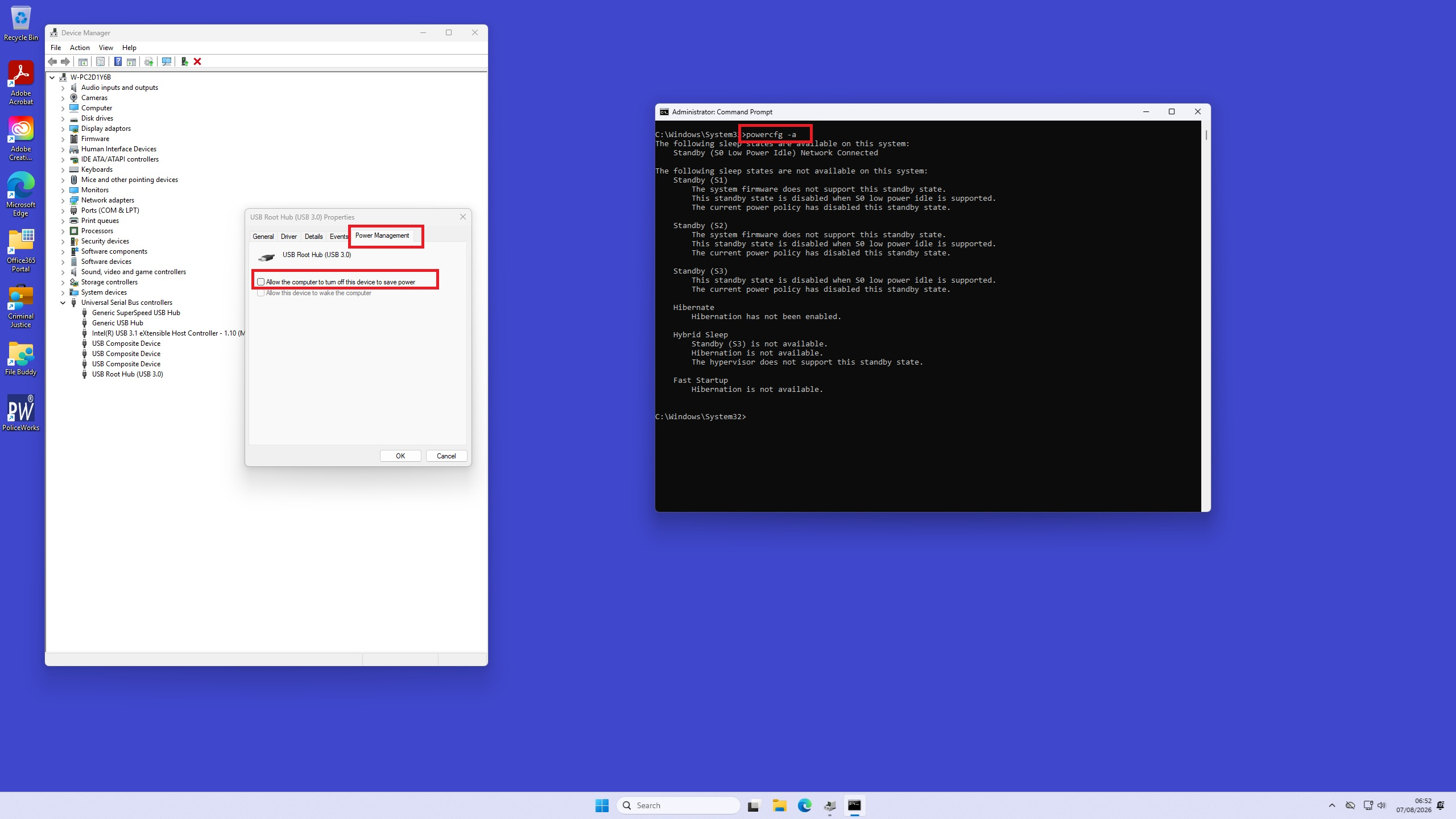
    These are settungs we have. Thus no Hibernate just sleep, and mouse, keyboard movement should wake from sleep. If the pwer LED is slowly pulsing when the issues occurs and we cannot wake with mouse or keyboard, does that mean the system is in hibermation when we have in fact set that as off. I though hibernate would be more difficult to wake the machine from and sleep is better in that it should then be easily woken, so why would the recommendation be set hibernate rather than sleep.

    The BIOS is set to default and nothing obvious in there as to what is causing the inability to wake a device up after it has been left powered on and no user logged onto it for a few hours. The desktop generally gte left on when users not using them.

    Thanks in Advance

    Was this answer helpful?

    0 comments No comments

  3. AI answer

    2026-08-06T11:00:18.85+00:00

    Given that BIOS has already been reset to defaults and drivers are up to date, the supported next checks are:

    1. Verify the keyboard is allowed to wake the PC.
      • Open the Keyboard control panel item.
      • Go to Hardware > Properties.
      • Select Change Settings.
      • Open Power Management.
      • Make sure Allow this device to wake the computer is enabled.
      • This step requires administrator access.
    2. Check whether the same setting is available for the mouse or other input devices in Device Manager.
      • If wake is not enabled for the input device, the system may not respond to keyboard or mouse activity.
    3. If the system still cannot wake, check firmware power settings.
      • Review BIOS power features that disable or reduce power to the ports used by the keyboard or mouse.
      • BIOS options vary by manufacturer, so the exact setting depends on the Lenovo firmware menus.
    4. If connected devices fail after resume, disconnect and reconnect them or restart the PC.
      • Microsoft also recommends making sure the latest device drivers are installed, which has already been done here.
    5. As a workaround, use Hibernate instead of Sleep.
      • Open Start > Settings > System > Power & sleep > Additional power settings.
      • Select Choose what the power button does.
      • Select Change settings that are currently unavailable.
      • Under Shutdown settings, enable Hibernate if available, then Save changes.
      • Hibernate uses less power than sleep and can avoid some resume problems.
    6. If wireless keyboard or mouse devices are involved, note that some systems do not allow Bluetooth devices to wake the computer because of power consumption requirements.
      • In that case, test with the embedded keyboard, a wired keyboard/mouse, or another non-Bluetooth input device.
    7. If the issue is specifically that the keyboard and mouse become unresponsive for a long time after resume on older Windows 7 or Vista systems using wireless USB devices, Microsoft documents a registry-based fix for USB host controllers.
      • Warning: modifying the registry can cause serious problems if done incorrectly, so back up the registry first.
      • That documented fix applies to Windows 7 and Vista SP2, not Windows 11.

    Because the machine also does not respond to the power button until AC power is removed and restored, that points to a low-level sleep/resume failure rather than only an input-device wake setting. Within the supported guidance here, the main areas to verify are the device wake permissions and BIOS power features for USB/input ports. If those are correct, using Hibernate instead of Sleep is the documented workaround.


    References:

    AI-generated content may be incorrect. Read our transparency notes for more information.

    Was this answer helpful?

Your answer

Answers can be marked as 'Accepted' by the question author and 'Recommended' by moderators, which helps users know the answer solved the author's problem.
