I managed to solve the problem!
If anyone has a similar problem in the future try this tutorial: https://www.tenforums.com/tutorials/165810-how-reset-windows-search-windows-10-a.html/
It uses a PowerShell script from Microsoft which resets the Search Box just be sure to run the script in an elevated command prompt with unrestricted permissions.
Windows Search Font Changed?
Hi. I don't know where else to ask this but it is rather annoying me. I just noticed recently that the font for Windows Search on my computer has changed. I do not recall making this change and do not know how it has happened but it is mildly irritating as the font is different to the rest of the operating system and sticks out really badly. Does anyone know how I can change it back to default?
https://learn.microsoft.com/answers/storage/attachments/268183-screenshot-2022-12-07-113918.png
Edit: I managed to solve the problem!
If anyone has a similar problem in the future try this tutorial: https://www.tenforums.com/tutorials/165810-how-reset-windows-search-windows-10-a.html/
It uses a PowerShell script from Microsoft which resets the Search Box just be sure to run the script in an elevated command prompt with unrestricted permissions.
Windows for business | Windows Client for IT Pros | User experience | Other
Locked Question. You can vote on whether it's helpful, but you can't add comments or replies or follow the question.
Answer recommended by moderator
2 additional answers
Sort by: Most helpful
-
Limitless Technology 45,246 Reputation points
2022-12-08T10:33:16.373+00:00 Hello there,
Are you aware of any recent change to the device like an Windows Update?
This issue with system font can also be caused by software conflicts.
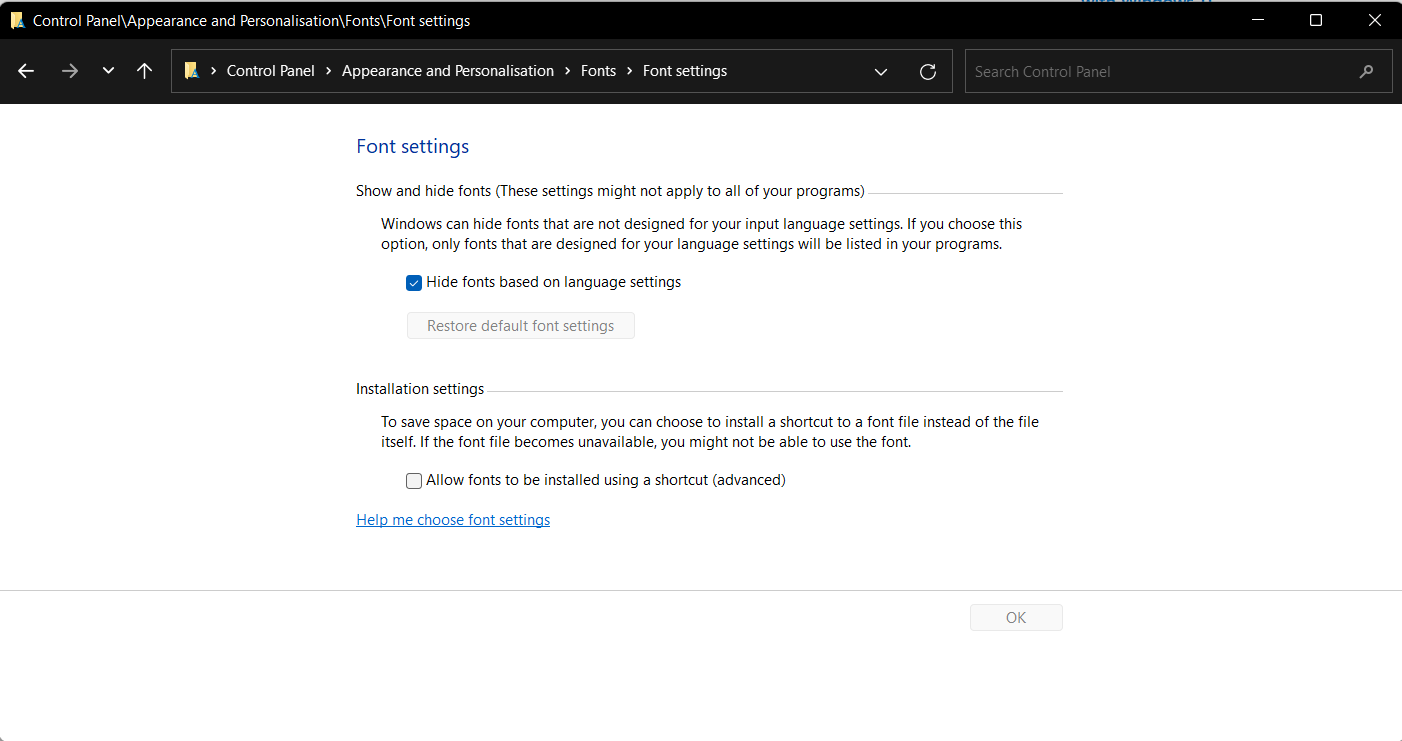
To restore the previous font, follow these steps:
Press Windows key + S.
Type Control Panel.
Press Enter.
In Control Panel search box, type fonts.
Click Fonts.
Select Font Settings.
Image
Click the Restore default font settings button.
Image
Select OK.The below thread discusses the same issue and you can try out some troubleshooting steps from this and see if that helps you to sort the Issue.
-------------------------------------------------------------------------------------------------------------------
--If the reply is helpful, please Upvote and Accept it as an answer--
-
Shubham Babar 0 Reputation points
2024-07-06T07:02:13.04+00:00 I always explores the computer settings, due to this many times I faced this problem of font change, So I uses this [C:\Windows\Fonts - There is "Font Settings" option - "Restore default font settings"] process but recently these setting didn't work so I tried this one which I also want to share: just below the "Font Settings" option there is "Adjust ClearType text" Option which helped me.